Features
Everything FitHilf can do
Six dashboard sections that work together: measurements feed the analysis, workouts feed your personal records, and it all adds up to a clear report.
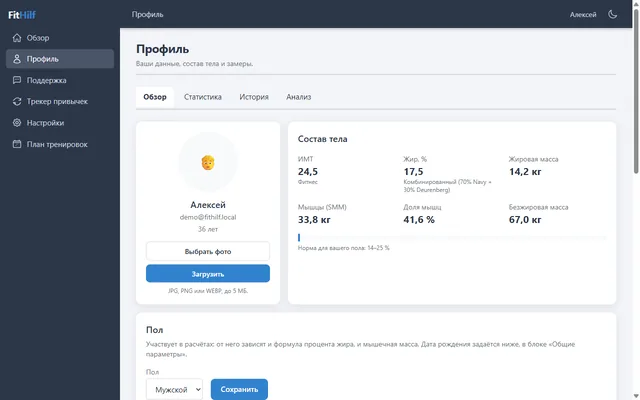
Body composition
Not just your weight — but what it’s made of
Enter your weight, height and measurements, and FitHilf calculates your body fat percentage, muscle and fat mass and BMI — and shows where you stand relative to the norm for your sex.
- 11 measurements: neck, shoulders, chest, waist, glutes, biceps, thighs and calves
- 2 body fat methods, Navy and Deurenberg, plus a combined estimate
- Dated history of weigh-ins and measurements, plus a weight chart
- Segmental muscle mass: arms, legs, torso
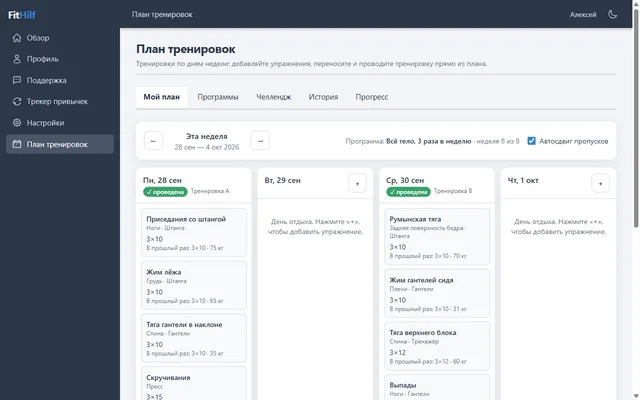
Workout plan
Your week, day by day — and workouts in one tap
Build your own week or pick a ready-made program. Move exercises between days and start a workout right from the plan.
- Sets, weight, machine settings and an exercise photo
- Live workout: check off sets as you go — they’re saved to the server
- “Last time”: weight and reps are filled in for you
- Auto-reschedule: a missed workout moves to a free day
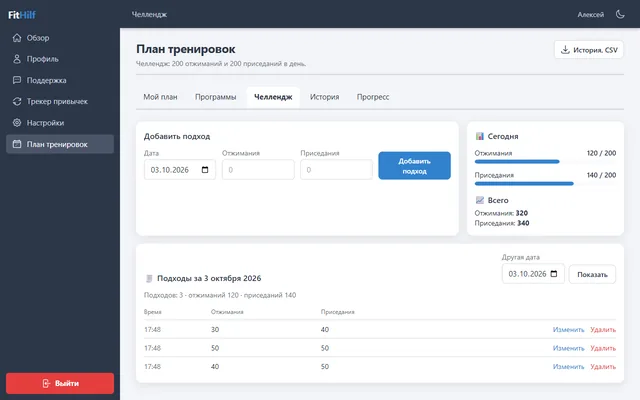
Programs and challenge
Ready-made programs and “200 a day”
Three programs for different levels, from home workouts to an upper/lower split. Plus a challenge: 200 push-ups and 200 squats, done in sets throughout the day.
- A program fills your plan for this week and next
- Reapply a program and your progress is kept
- Challenge: sets per day, totals for today and all time
- Edit or delete any set
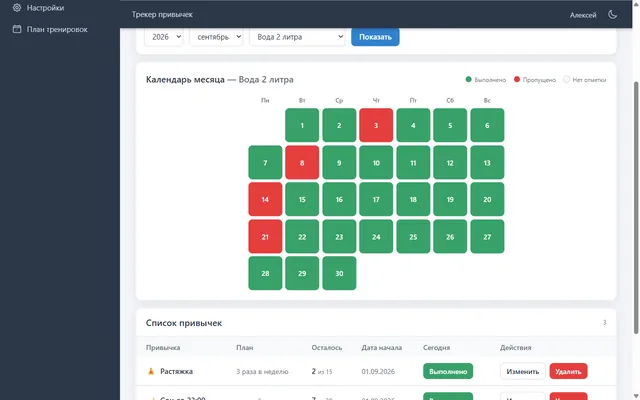
Habits
Habits you can see on a calendar
Daily or N times a week: check off habits on a monthly calendar and review your totals by month and for the whole year.
- Types: daily or N times a week
- A goal for the month or a custom period
- Mark as done, skipped, or leave blank
- Totals and history for every habit
Progress and records
Personal records, tonnage and load advice
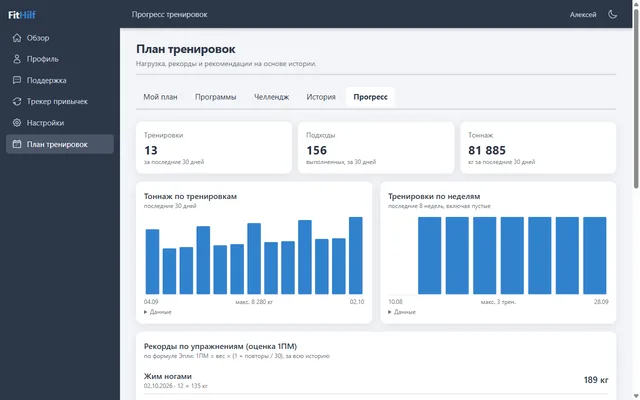
Your training history turns into clear numbers: how much you’ve lifted, how often you train and when it’s time to add weight.
- Estimated one-rep max using the Epley formula
- Tonnage per workout and frequency per week, empty weeks included
- Progress toward your personal record, with advice: add weight or reps
- Only checked-off sets count — no inflated numbers
Support
Support right in your dashboard
Got a question or a problem? Write to us in the Support section. The conversation stays in your dashboard, and a badge in the menu lets you know when there’s a new reply.
- Requests with message history and attachments
- Unread-reply badge in the menu
- Files are stored privately and shared only with the people in the conversation
Data export
Your data, in your hands any time
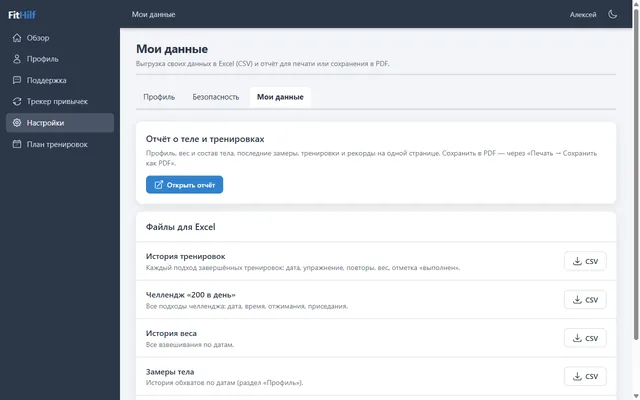
Export your workouts, weight, measurements, challenge and sign-in history to Excel, or print a report on your body and training.
- CSV for Excel: special characters and separators display correctly right away
- A printable report, or “Save as PDF”
- Export links are signed and expire after 15 minutes
- You can only export your own data
Try it yourself — it’s free
Right now, every section is available as soon as you sign in.